


Table of Contents
With over 150 million daily players, Garena Free Fire remains a global battle royale sensation in 2025. But as the game grows, so do risks like account hacking, phishing scams, and accidental bans. Losing your Free Fire account—with its hard-earned skins, ranks, and diamonds—can be devastating. This detailed guide on how to Secure Your Free Fire Account in 2025 will arm you with expert tips and the latest security practices to keep your Free Fire ID safe. Whether you play Free Fire or Free Fire MAX, this post is your go-to resource for staying secure in the ever-evolving gaming landscape.
Why Account Security Matters in Free Fire 2025
Hackers target Free Fire accounts for valuable in-game items like rare skins, elite passes, and diamonds, which can be sold on black markets. In 2025, Free Fire India’s relaunch introduced stricter anti-cheat systems and new login protocols, making account security more critical than ever. Common threats include:
- Phishing Scams: Fake login pages or “free diamond” offers stealing your credentials.
- Account Sharing: Friends or third parties misusing your account.
- Weak Passwords: Easily guessed credentials leading to unauthorized access.
- Malware: Hacked APKs or tools infecting your device.
- Unsecured Devices: Public Wi-Fi or shared devices exposing your account.
By following this guide, you’ll lock down your Free Fire ID and avoid bans, hacks, or scams.
Step-by-Step Guide to Secure Your Free Fire Account in 2025
Here’s how to protect your Free Fire account with practical, up-to-date strategies tailored for 2025’s gaming environment.
Step 1: Use a Strong, Unique Password
A weak password is an open door for hackers. In 2025, Garena encourages complex passwords for linked accounts (e.g., Google, Facebook, VK).
- Create a Strong Password:
- Minimum 12 characters.
- Mix uppercase, lowercase, numbers, and symbols (e.g., FF_RankB0oster2025!).
- Avoid predictable phrases like “FreeFire123” or your username.
- Update Regularly: Change your password every 3–6 months.
- Use a Password Manager: Tools like LastPass or Bitwarden securely store complex passwords.
Pro Tip: Never reuse your Free Fire password on other platforms to prevent cross-site breaches.
Read also: Free Fire Instagram Bio Code – Make Your Profile Stand Out! – Knowledge Sense
Step 2: Enable Two-Factor Authentication (2FA)
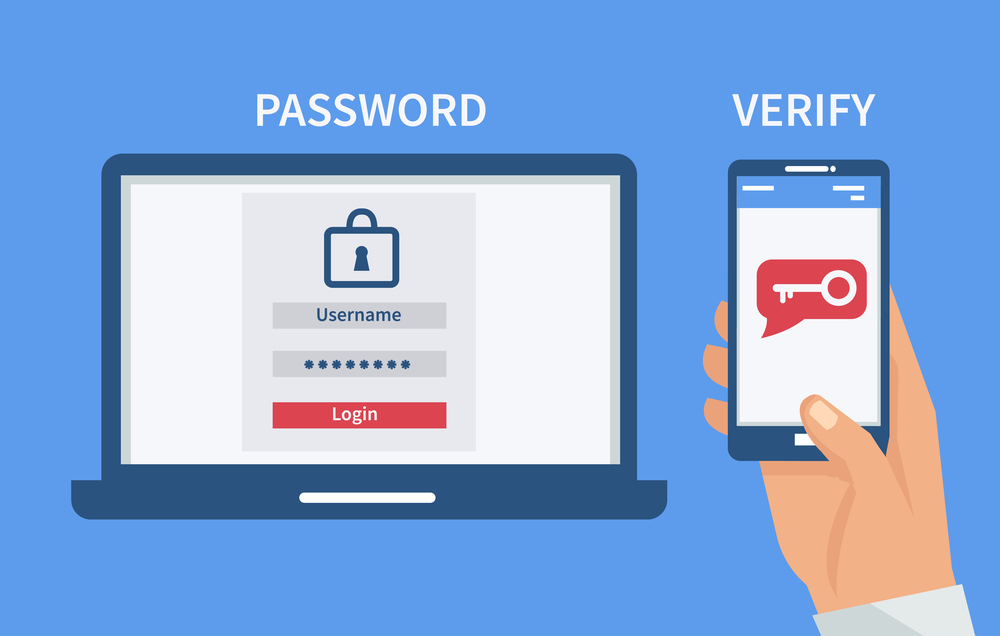
2FA adds an extra layer of security by requiring a second verification step (e.g., a code sent to your phone or email).
- How to Enable 2FA:
- Go to the settings of your linked account (Google, Facebook, etc.).
- Navigate to “Security” or “Privacy” and enable 2FA.
- Choose SMS, email, or an authenticator app (e.g., Google Authenticator).
- For Free Fire India Users: Garena’s 2025 update mandates 2FA for new accounts linked to phone numbers in India. Verify your number in-game via Settings → Account.
Why It Works: Even if hackers steal your password, they can’t log in without the 2FA code.
Step 3: Link Your Account to Trusted Platforms
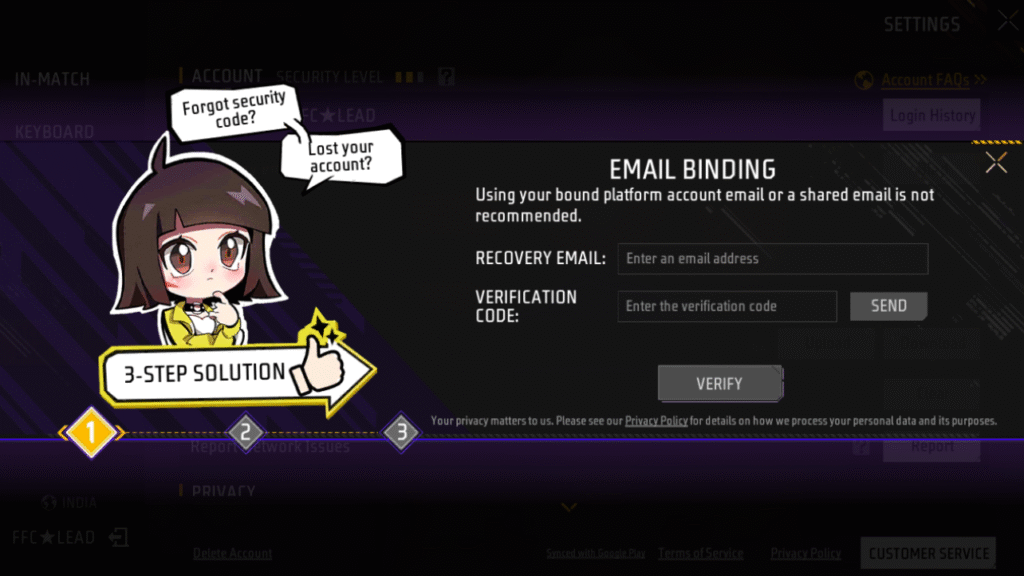
Secure your Free Fire ID by linking it to a reliable platform:
- Recommended Platforms: Google, Facebook, VK, or Apple ID.
- Steps to Link:
- Open Free Fire → Settings → Account.
- Select “Link Account” and choose your platform.
- Log in and verify ownership.
- Avoid Guest Accounts: Unlinked guest accounts are nearly impossible to recover if lost.
2025 Update: Free Fire India now supports direct phone number linking, making recovery easier for Indian players.
Step 4: Avoid Phishing Scams and Fake Offers
Phishing is a top threat in 2025, with scammers creating fake websites mimicking Garena’s login page or promising “free diamonds.”
- Spot Phishing:
- Suspicious URLs (e.g., freefire-gift.com instead of ff.garena.com).
- Emails or messages asking for your login details.
- Offers for free skins or diamonds require you to log in via unofficial links.
- Stay Safe:
- Only log in through the official Free Fire app or ff.garena.com.
- Ignore unsolicited messages claiming your account is at risk.
- Report scams to Garena via ffsupport.garena.com.
Pro Tip: Bookmark Garena’s official website to avoid fake links.
Step 5: Steer Clear of Third-Party Tools and Hacks
Using unauthorized apps like modded APKs, config files, or Lulubox can lead to bans or malware infections.
- What to Avoid:
- Hacked APKs promising unlimited diamonds or skins.
- Emulator scripts altering gameplay.
- “Unban tools” or account recovery apps.
- Play Legit:
- Download Free Fire only from Google Play, App Store, or Garena’s website.
- Use official emulators like BlueStacks or LDPlayer for PC gaming.
2025 Alert: Garena’s upgraded anti-cheat system flags even minor third-party tools, risking permanent bans.
Step 6: Secure Your Device and Network
Your device and internet connection are critical to account safety.
- Device Security:
- Keep your phone or PC updated with the latest OS and security patches.
- Install reputable antivirus software (e.g., Avast, Malwarebytes).
- Avoid rooting or jailbreaking your device, as it bypasses security.
- Network Safety:
- Avoid public Wi-Fi for gaming; use a trusted mobile data or home network.
- If using a VPN, choose a reputable provider to avoid suspicious activity flags.
India-Specific Tip: With Free Fire India’s relaunch, ensure your device meets the updated app requirements (Android 5.0+ or iOS 11.0+) to avoid glitches that could trigger bans.
Step 7: Monitor Login Activity
Check for unauthorized access to your Free Fire account:
- Steps:
- Go to your linked account’s security settings (e.g., Google’s “Your Devices” section).
- Review recent logins for unfamiliar devices or locations.
- Log out remotely if you spot suspicious activity.
- In-Game Check: Open Free Fire → Settings → Basic to see your last login details.
- Act Fast: If hacked, change your password, enable 2FA, and contact Garena support immediately.
Step 8: Never Share Your Account
Sharing your Free Fire ID with friends, “boosters,” or strangers violates Garena’s Terms of Service and risks bans or theft.
- Best Practices:
- Keep your UID, password, and linked account details private.
- Avoid trading or selling accounts, as Garena bans such activities.
- Recovery Tip: If someone else logs in, use Garena’s account recovery form at ffsupport.garena.com with your UID and proof of ownership (e.g., top-up receipts).
Step 9: Use Trusted Payment Methods
In 2025, Garena cracked down on illegal diamond top-ups, banning accounts linked to unauthorized sellers.
- Safe Top-Ups:
- Purchase diamonds only through the in-game store or Garena’s official partners (e.g., Codashop).
- Use secure payment methods like UPI, Google Pay, or credit cards.
- Save receipts for proof of legitimate purchases.
- Avoid Scams: Steer clear of “cheap diamond” offers on social media or unofficial websites.
India Update: Free Fire India now integrates UPI autopay for seamless, secure top-ups.
Step 10: Stay Informed and Report Issues
Keep up with Garena’s security updates and report suspicious activity:
- Follow Official Channels:
- Instagram: @FreeFireIndiaOfficial
- Twitter/X: @IndiaFreeFire
- Website: ff.garena.com
- Report Problems:
- Use the in-game “Help Center” or ffsupport.garena.com.
- Contact support via email ([email protected]).
- Community Vigilance: Report hackers or scammers in-game to maintain a fair environment.
What to Do If Your Free Fire Account Is Hacked
If you suspect a hack:
- Try Logging In: If locked out, use the “Forgot Password” option on your linked account.
- Secure Your Account:
- Change your password and enable 2FA.
- Log out all unknown devices.
- Contact Garena:
- Submit a ticket at ffsupport.garena.com.
- Provide your UID, in-game name, server, and proof of ownership (e.g., purchase history).
- Act Fast: Garena responds within 3–10 days but prioritizes urgent cases.
For detailed recovery steps, check our Free Fire Account Unban Guide 2025
FAQs: Free Fire Account Security 2025
Q1. Can I recover a hacked Free Fire account in 2025?
A: Yes, if you provide your UID and proof of ownership via Garena’s support page.
Q2: Is it safe to use emulators for Free Fire?
A: Yes, but stick to trusted emulators like BlueStacks and avoid third-party scripts.
Q3: How do I know if my Free Fire account is at risk?
A: Check for unfamiliar logins, missing items, or ban warnings. Enable 2FA to stay safe.
Q4: Are free diamond offers legit?
A: No, they’re usually phishing scams. Only top up through official channels.
Q5: Does Garena ban accounts for VPN usage?
A: Not always, but frequent VPN use may flag your account for suspicious activity.
Stay Safe and Dominate the Battlefield!
Securing your Free Fire account in 2025 is easier than ever with these practical steps. By enabling 2FA, avoiding scams, and staying vigilant, you’ll keep your Free Fire ID safe and focus on climbing the ranks. Share this guide with your squad, and let us know in the comments if you have questions or tips! For more Free Fire hacks (the legal kind!), subscribe to our blog.
Booyah! Let’s keep Free Fire secure and fun!

Other Articles

Explore the Best Discord Servers by Tags


