


The digital landscape is evolving rapidly, and the demand for fast, omnichannel, and highly customized user experiences has never been higher. For years, organizations relied on monolithic, traditional Content Management Systems (CMS) to build their digital presence.However, as new delivery channels emerge—from mobile apps and smartwatches to digital signage—these legacy systems often struggle to keep pace.
The solution to this bottleneck lies in Decoupled and Headless Architectures. By severing the tight bond between where content is created and where it is displayed, businesses can connect legacy CMS backends to lightning-fast, modern frontends.
Here is a comprehensive breakdown of how these architectures work, why they are replacing monolithic systems, and how you can bridge the gap between legacy platforms and modern frontend frameworks.
1. The Monolith Problem: Traditional CMS Architecture
To understand the shift, we must first look at the traditional CMS model (e.g., legacy WordPress or Drupal setups). In a monolithic architecture, the frontend (presentation layer) and the backend (content repository and database) are inextricably linked.
- Coupled Presentation: The CMS uses built-in templates to render HTML.
- The Limitations:Content creators love the “What You See Is What You Get” (WYSIWYG) editing experience.However, developers are locked into the specific programming languages and frameworks dictated by the CMS. Scaling is difficult, and pushing content to non-web platforms (like a native iOS app) requires clunky workarounds.
2. Headless vs. Decoupled: What is the Difference?
While the terms “headless” and “decoupled” are often used interchangeably, they represent two distinct architectural philosophies.
{/* Reason: Shows the API bridge connecting a centralized backend to various omnichannel frontends. */}
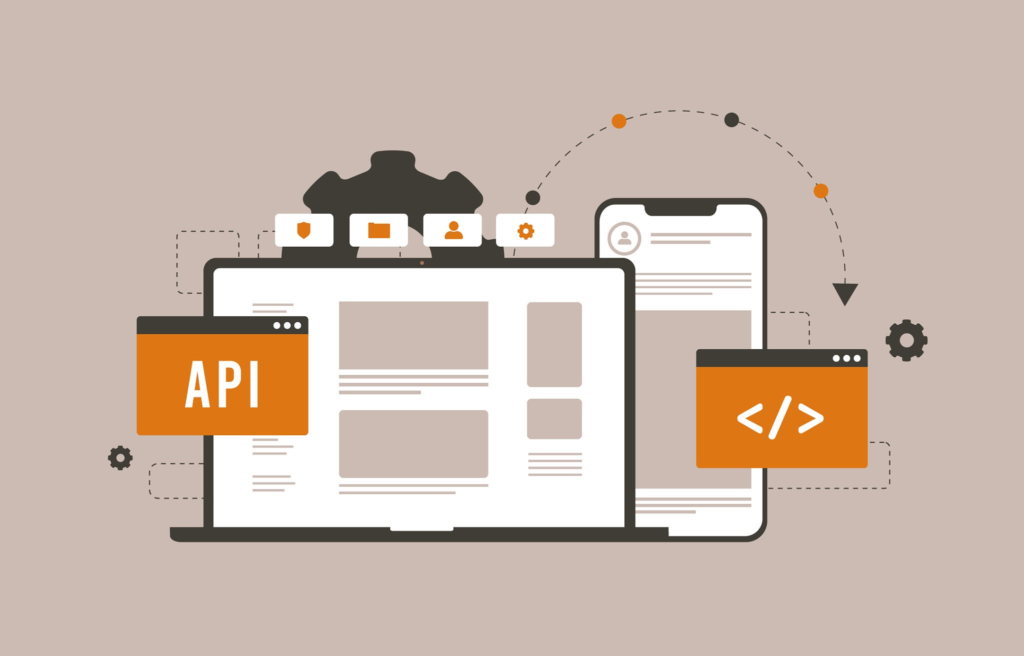
The Headless CMS
A true headless CMS has no frontend presentation layer at all.It acts purely as a content repository.
- API-First:Content is created, stored, and then exposed entirely via APIs (RESTful or GraphQL).
- Total Freedom: Developers have a blank canvas. They can use React, Vue.js, Angular, or any modern framework to build the user interface.
- Omnichannel Ready:Because the content is raw data (usually JSON), the exact same content can be pulled into a website, a mobile app, or a smart refrigerator without duplication.
The Decoupled CMS
A decoupled CMS sits halfway between a monolith and a pure headless system.
- The Best of Both Worlds:It separates the backend database from the frontend presentation, but it still includes an optional, pre-built frontend environment.
- Marketer-Friendly:Content editors can still use built-in templates and preview tools if they want, making it more user-friendly out of the box than a pure headless setup.
- Flexibility:If the default frontend doesn’t suit your needs, developers can ignore it and use the CMS’s APIs to build a custom frontend from scratch.
3. Visualize the Architectures
To better understand how data flows in these different environments, use this interactive diagram builder:
Key Takeaway: A headless system gives developers ultimate freedom but requires more initial engineering effort. A decoupled system offers a safety net for marketing teams who rely on traditional preview tools.
4. Connecting Modern Frontends to Legacy Backends
You don’t always need to rip and replace a legacy CMS to get modern performance. Many organizations choose to incrementally decouple their existing monolithic platforms.
If you are connecting a modern frontend (like Next.js or Nuxt.js) to an older, legacy CMS backend, you will rely heavily on APIs and Middleware.
The API Layer (REST and GraphQL)
To decouple a legacy system, the CMS must be able to expose its content.
- REST APIs: The traditional method of delivering content. It requires multiple round trips to fetch data (e.g., one call for the blog post text, another call for the author details).
- GraphQL: A modern query language that allows the frontend to request exactly the data it needs, and nothing more, in a single request. GraphQL is highly preferred for headless architectures because it reduces payload sizes and speeds up rendering.
The BFF Pattern (Backend for Frontend)
When dealing with a legacy CMS, the raw API output is often messy or bloated with unnecessary data. The BFF pattern introduces a lightweight middleware layer (often built in Node.js) that sits between your legacy CMS and your modern frontend.
- The frontend requests a page.
- The BFF reaches into the legacy CMS API.
- The BFF cleans, formats, and aggregates the data.
- The BFF sends a clean JSON payload back to the frontend.
This keeps your frontend code clean and prevents it from being bogged down by the legacy architecture’s quirks.
5. Pros and Cons of Going Headless/Decoupled
Before committing to a rebuild, consider the trade-offs.
| Feature | Monolithic CMS | Headless / Decoupled CMS |
| Developer Freedom | Low – Locked into CMS templates. | High – Use any framework (React, Vue). |
| Omnichannel Support | Poor – Difficult to push to apps/IoT. | Excellent – API-first content works anywhere. |
| Security | Vulnerable – Database is tied to the public frontend. | Secure – Frontend is decoupled from the database. |
| Implementation Cost | Lower – Pre-built tools and plugins. | Higher – Requires custom frontend development. |
| Marketer Experience | High – Native WYSIWYG editors. | Varies – Pure headless can lack preview tools. |
Conclusion
Transitioning to a decoupled or headless architecture is the most effective way to future-proof your digital content. By stripping away the rigid presentation layers of legacy CMS platforms and relying on API-driven data delivery, businesses can achieve faster load times, seamless omnichannel experiences, and empower their engineering teams to use the best modern frameworks available.Whether you choose a pure headless approach for maximum flexibility or a decoupled system to keep your marketing teams comfortable, the separation of content and code is the new standard for web development.


